Anonymous
Not logged in
Talk
Contributions
Create account
Log in
Search
Editing
Linux graphical encryption program
(section)
From KB42
Namespaces
Page
Discussion
More
More
Page actions
Read
Edit
Edit source
History
Warning:
You are not logged in. Your IP address will be publicly visible if you make any edits. If you
log in
or
create an account
, your edits will be attributed to your username, along with other benefits.
Anti-spam check. Do
not
fill this in!
== Mounting the newly created volume to test it== After you created the encrypted volume, you need to mount it. First, we need to select the volume. So, click on the _Select File_ option. 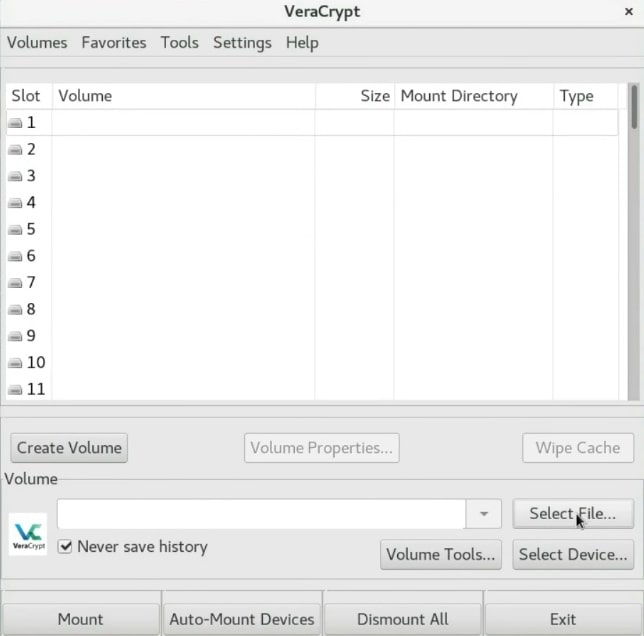 Select the volume file to mount it Next, navigate and select your volume. 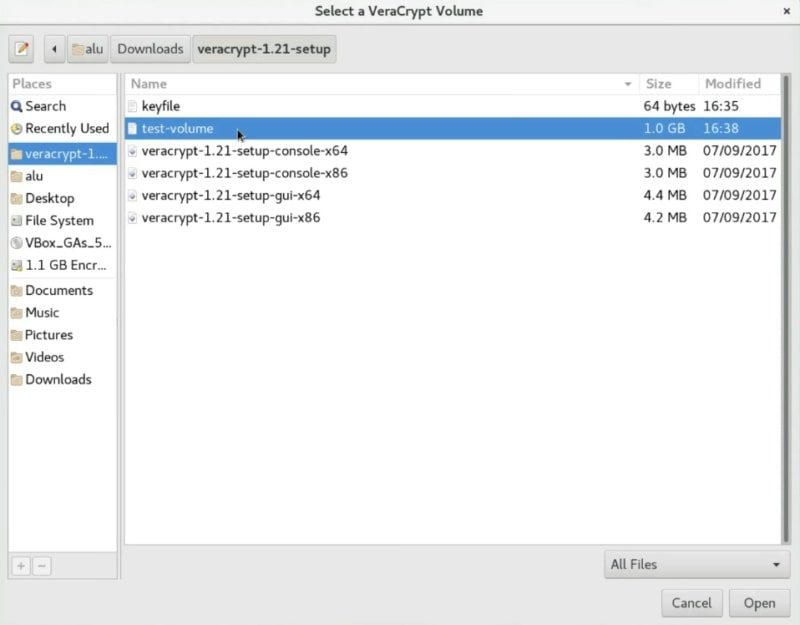 ===Search for the newly created volume=== After that, you need to select where you want to mount it. Just select the first slot and click on the _Mount_ button. 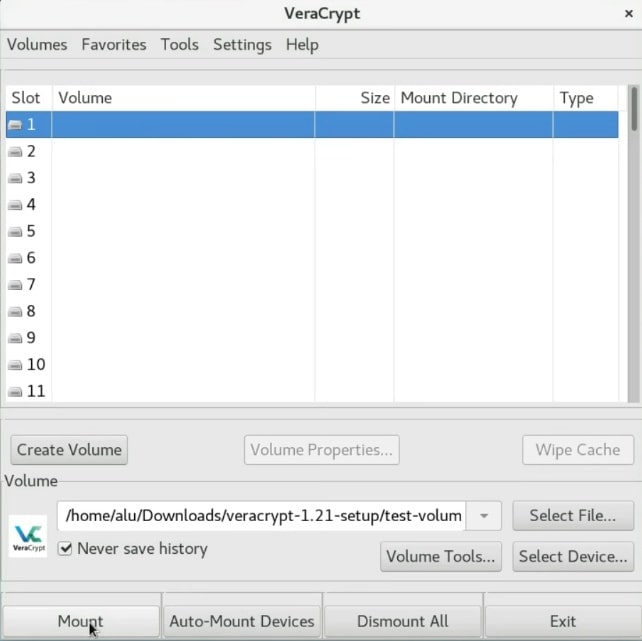 ===Mounting the volume=== In this screen, you have to enter the password you used for your encryption. If you encrypted this container with a keyfile, specify it here too. As you remember, I created the key file, so I will mark the _Use keyfiles_ option and add the _keyfile_. 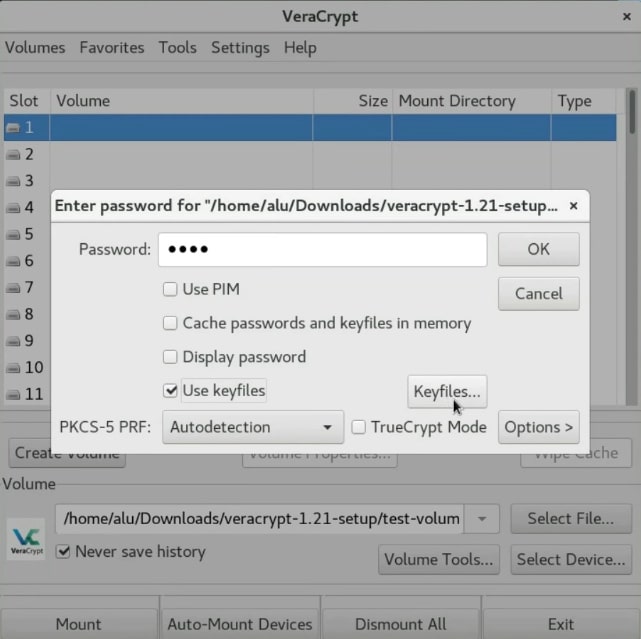 ===Selecting the keyfile=== After that, the volume should mount to the `/media` folder. 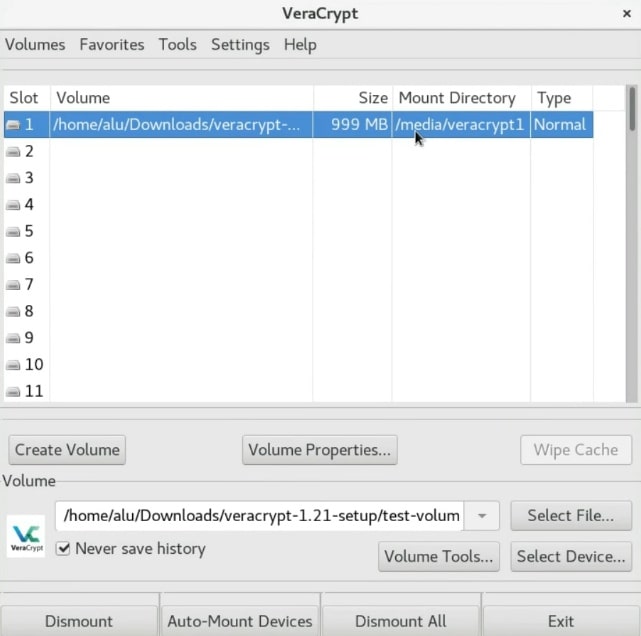 The volume has been successfully mounted You can see that it is mounted as `/media/veracrypt1` in the _Mount Directory_ column. So, open the file manager and go to `/media/veracrypt1`. 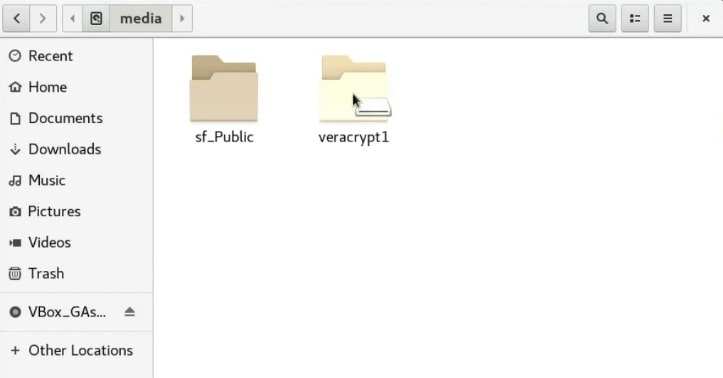 The volume is ready to be used And there is the encrypted volume. You can copy all the files you want to encrypt to this _veracrypt1_ folder.
Summary:
Please note that all contributions to KB42 may be edited, altered, or removed by other contributors. If you do not want your writing to be edited mercilessly, then do not submit it here.
You are also promising us that you wrote this yourself, or copied it from a public domain or similar free resource (see
KB42:Copyrights
for details).
Do not submit copyrighted work without permission!
Cancel
Editing help
(opens in new window)
Navigation
Navigation
Main page
Recent changes
Random page
Help about MediaWiki
DONATE
Wiki tools
Wiki tools
Special Pages
Categories
Import Pages
Cargo data
Page tools
Page tools
User page tools
More
What links here
Related changes
Page information
Page logs