Anonymous
Not logged in
Talk
Contributions
Create account
Log in
Search
Editing
Backing up MySQL Database Hosted in Docker Container
(section)
From KB42
Namespaces
Page
Discussion
More
More
Page actions
Read
Edit
Edit source
History
Warning:
You are not logged in. Your IP address will be publicly visible if you make any edits. If you
log in
or
create an account
, your edits will be attributed to your username, along with other benefits.
Anti-spam check. Do
not
fill this in!
== Backing up and Restoring== === Dump Database === Check the container id. <syntaxhighlight lang="bash"> $ docker ps CONTAINER ID IMAGE COMMAND CREATED STATUS PORTS NAMES f91d97a62086 jspmysql:0.1 "docker-entrypoint..." 28 minutes ago Up 28 minutes 0.0.0.0:6603->3306/tcp jspmysql </syntaxhighlight> Execute `mysqldump` in docker terminal. <syntaxhighlight lang="bash"> $ docker exec f91d97a62086 /usr/bin/mysqldump -u root --password=jsppassword jsptutorial > backup.sql </syntaxhighlight> Notice `f91d97a62086` is the container id, `jsptutorial` is the database and `backup.sql` is the output file. After running the above command, a new backup.sql file is created. 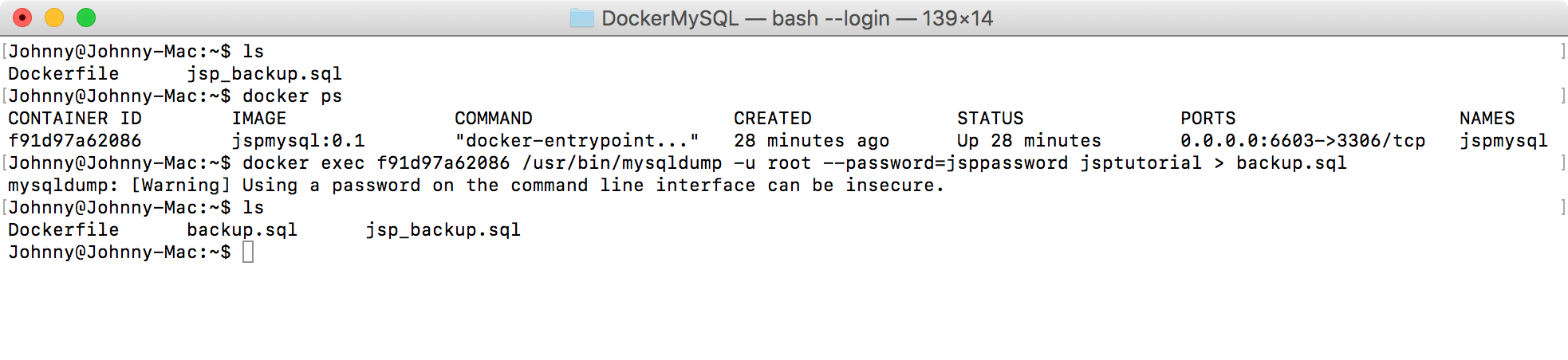 === Checking the Output File=== Notice that new product `(4,'iPad',399)` is added to the sql for restoring table `Product`. 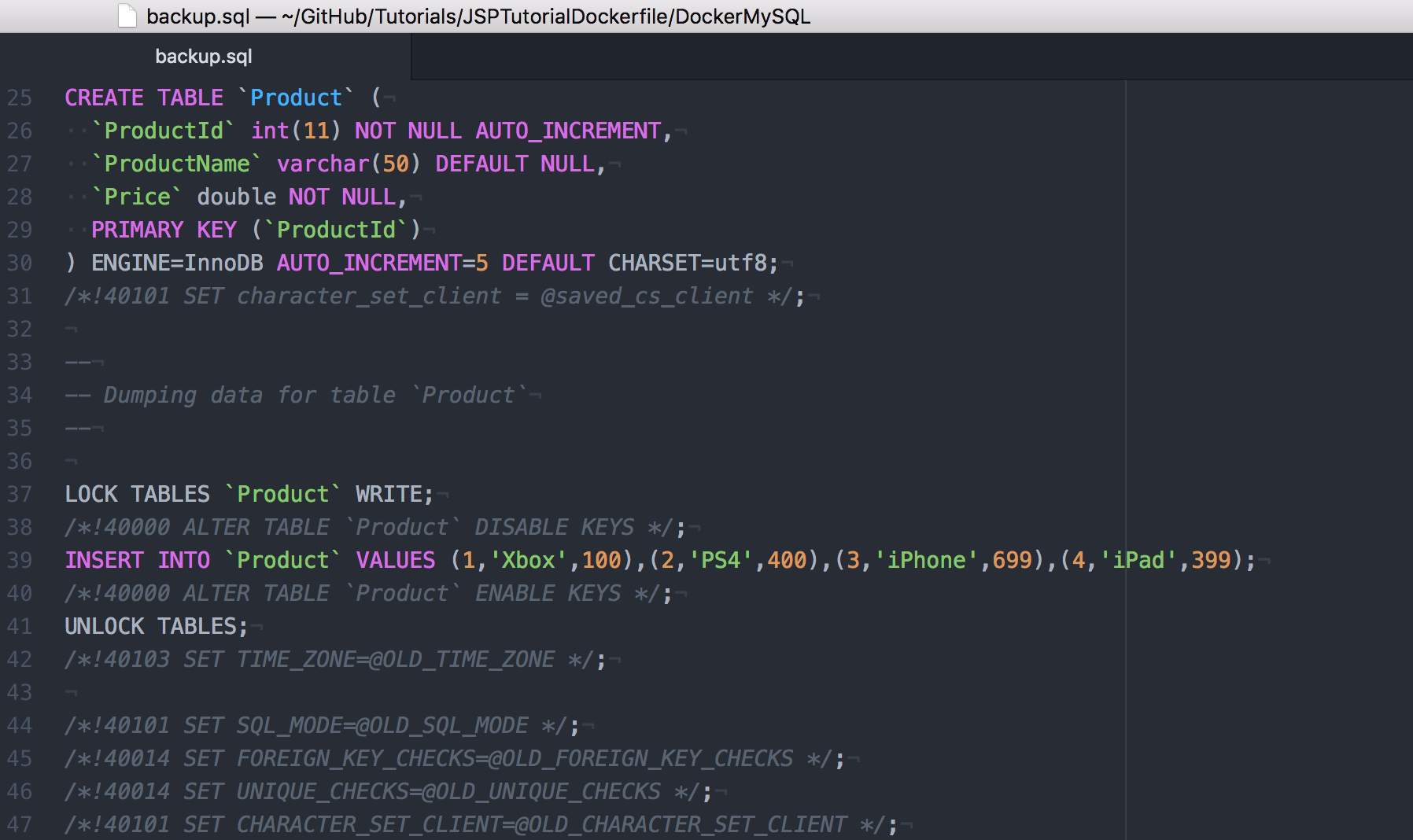 Now you can rename this file to jsp_backup.sql or use it directly in Dockerfile to create MySQL image. === Restoring Data to MySQL Container=== You can also restore the data directly to the container. In docker terminal, run the following command. <syntaxhighlight lang="bash"> $ cat backup.sql | docker exec -i f91d97a62086 /usr/bin/mysql -u root --password=jsppassword jsptutorial </syntaxhighlight> {{article summary | image = | title = {{%PAGENAME%}} | summary = We created a MySQL image with Dockerfile, and used this image to run MySQL container. }} [[Category:Technology]] [[Category:Software]] [[Category:Computers]] [[Category:Privacy]]
Summary:
Please note that all contributions to KB42 may be edited, altered, or removed by other contributors. If you do not want your writing to be edited mercilessly, then do not submit it here.
You are also promising us that you wrote this yourself, or copied it from a public domain or similar free resource (see
KB42:Copyrights
for details).
Do not submit copyrighted work without permission!
Cancel
Editing help
(opens in new window)
Navigation
Navigation
Main page
Recent changes
Random page
Help about MediaWiki
DONATE
Wiki tools
Wiki tools
Special Pages
Categories
Import Pages
Cargo data
Page tools
Page tools
User page tools
More
What links here
Related changes
Page information
Page logs